octoja v1.0.3608 — alerts, reports and remote support
Highlights
Manage access, monitoring, reports and automations with finer controls, including network restrictions, bulk custom fields and direct software removal. Build custom checks visually, improve remote support and monitor more storage and power systems.
New
Access and device management
- Managed browser extensions — Deploy Chrome, Edge and Firefox extensions on Windows, macOS and Linux through an automation, including imports from a validated spreadsheet.
- Access restricted by network — Limit invitation onboarding, interactive sessions, the web console and MCP clients to approved IPv4 or IPv6 addresses and networks.
- Automatic monitoring for discovered devices — Assign compatible monitoring profiles automatically to supported network devices after discovery.
- Bulk custom-field updates — Set one custom field on multiple selected devices in a single operation.
- Uninstall software from device inventory — Remove inventoried Windows software directly from a device's Software tab without writing a script.
- Matching patch policies from a device — Open the patch policies and rings that apply to a device directly from its device view.
Remote support
- Reusable remote-support technician names — Define a technician-name template once for remote-support consent prompts while retaining optional names for individual users.
Reports and automation
- Network devices report widget — Add a filtered table of network devices and their status details to reports.
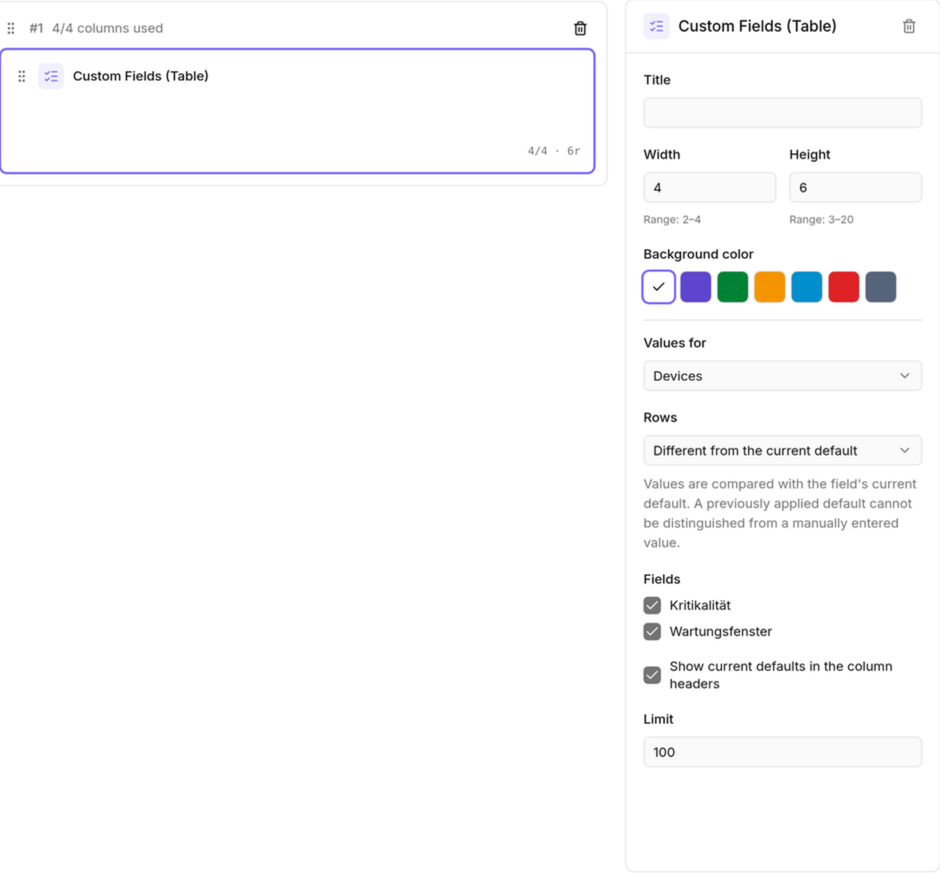
- Custom fields in report tables — Choose customer- or device-level data as columns and use those values to narrow results.
- Combined PDF delivery for scheduled reports — Send every selected report in one ordered PDF.
- Structured prompts in automations — Request responses in a defined data format instead of relying only on free-form text.
- Markdown custom fields — Store longer formatted content in custom fields and use it throughout octoja and in reports.
Integrations and alerts
- c-entron Service Board request assignments — Choose a department and technician when creating c-entron Service Board requests from octoja.
- UniFi Fabrics per customer — Optionally store a separate UniFi Site Manager API key for each customer and map its controllers to customer sites.
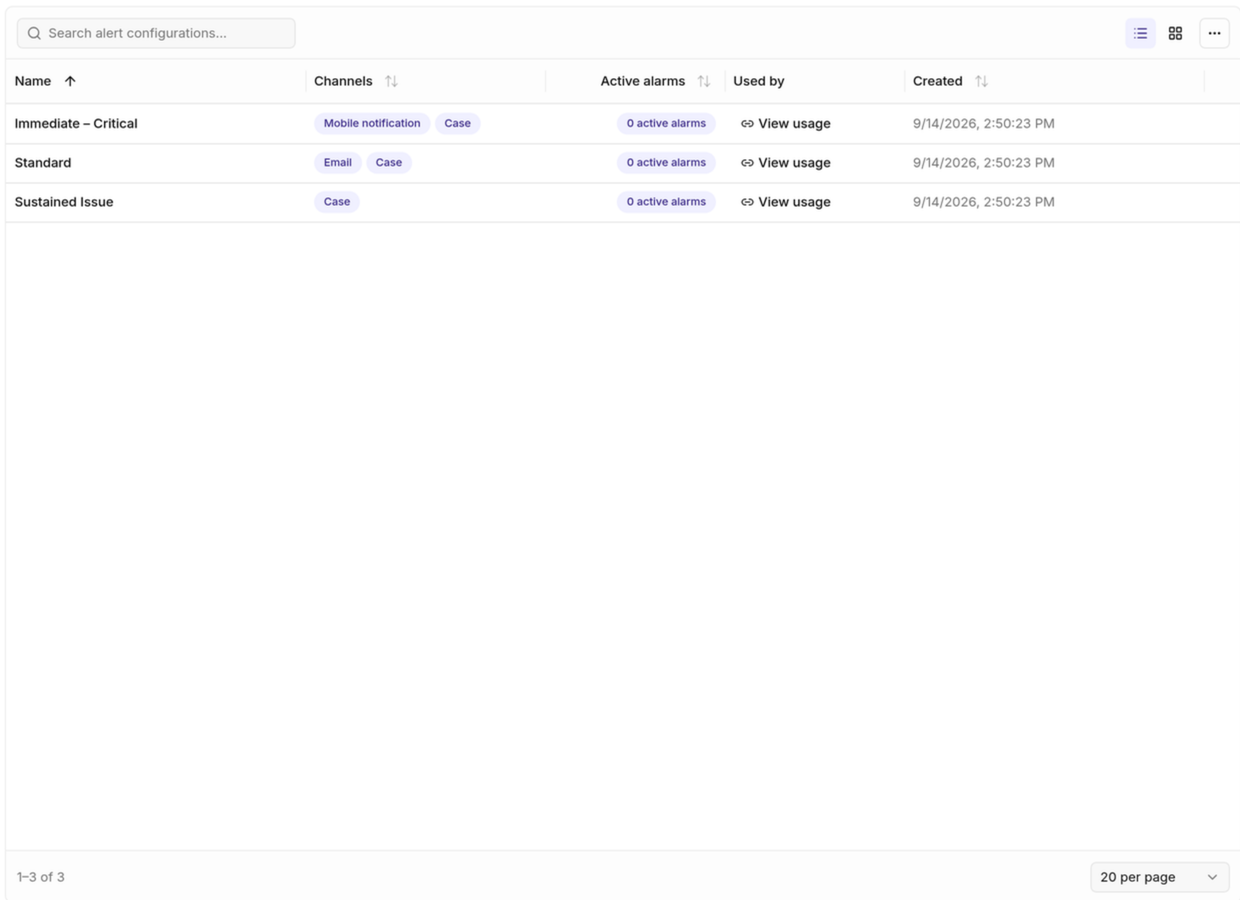
- Alert configuration overview and recovery — Review configurations, their usage and all active alarms centrally, then send recovery notifications for selected alarms.
Custom-check authoring
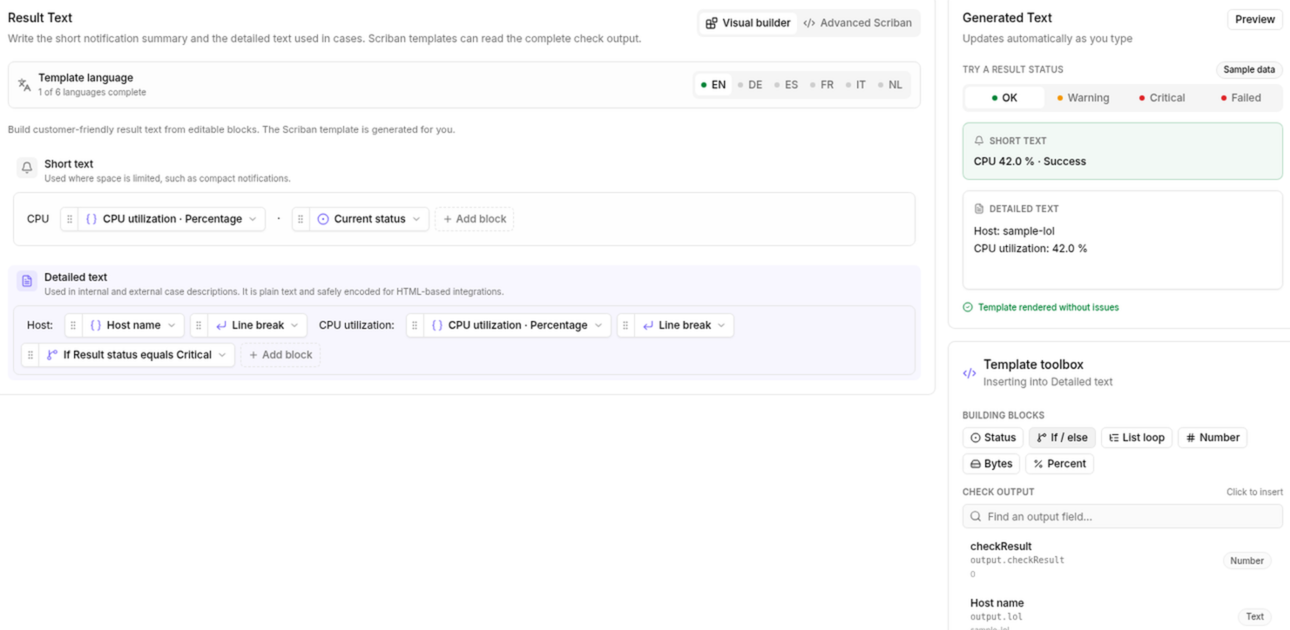
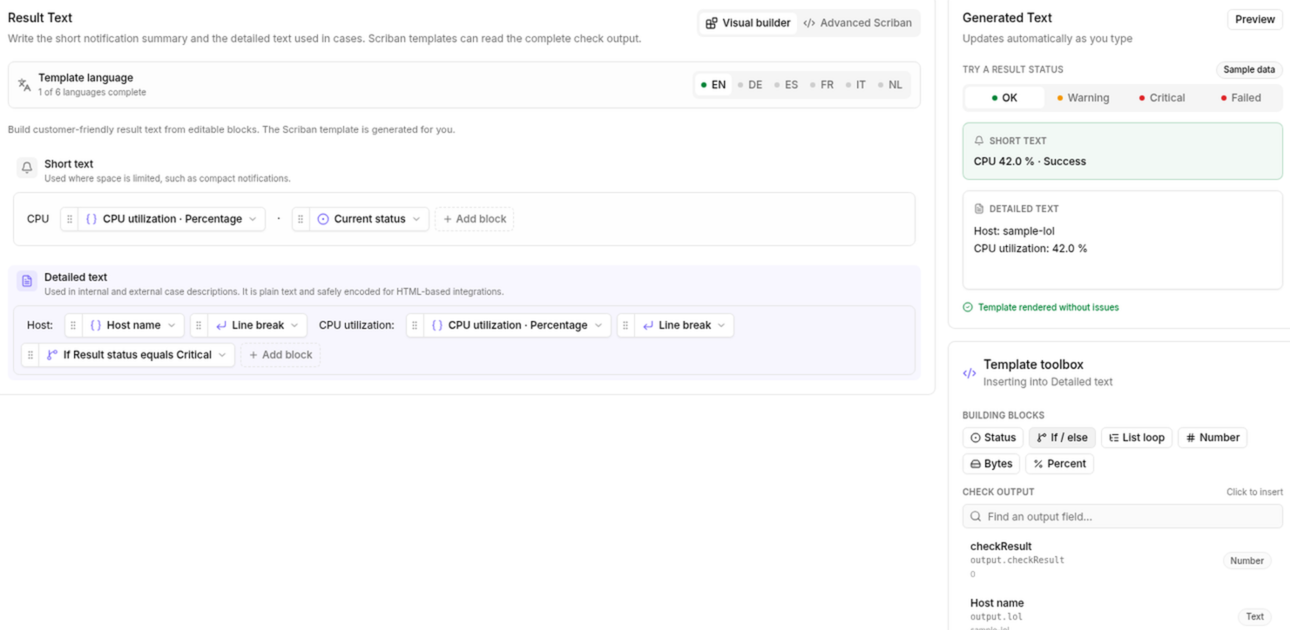
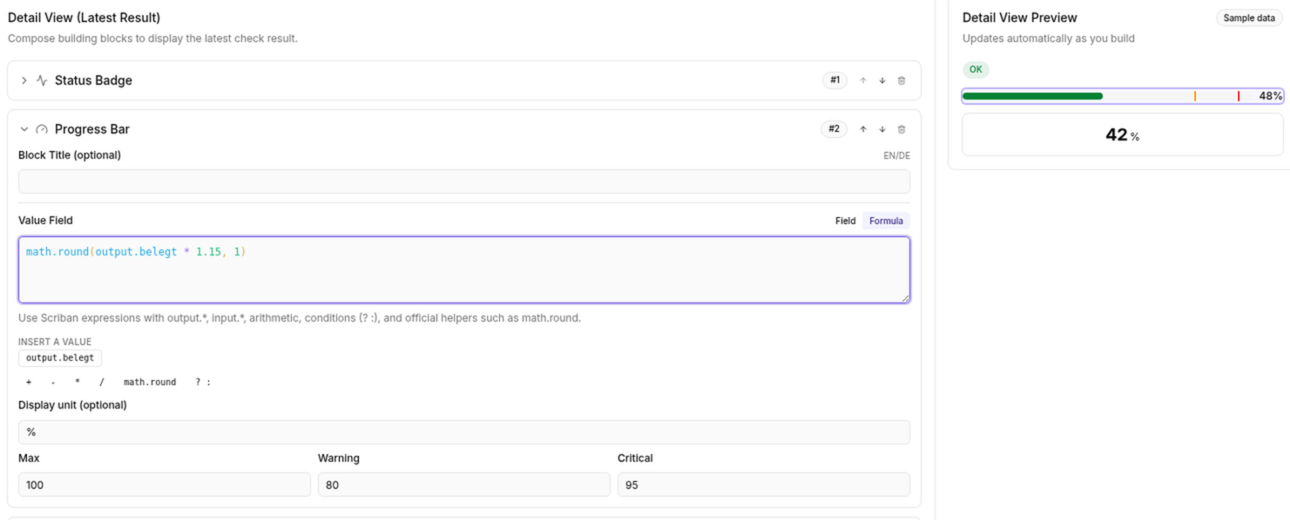
- Visual custom-check result builder — Assemble result text from configurable blocks instead of editing a complete template by hand.
- Formula studio for custom checks — Build formulas for result layouts and preview their output while you work.
Improved
Devices and configuration
- Run assigned automations from a device — Start an automation already assigned to a device directly from that device.
- Open devices from check overrides — Jump directly from an override to the affected device.
- Clearer configuration package contents and schedules — Choose which modules a new package contains, see software deployment schedules and retain filters in the page URL.
- Active Directory account status and filters — See and filter enabled, disabled, locked and expired accounts.
Patches and monitoring
- More patch and automation controls for MCP clients — Authorized clients can read patch policies and cycles, and update or delete automations as well as create them.
- Configurable Dell and Wortmann warranty alerts — Choose when expiring Dell and Wortmann warranties trigger warnings.
- Ignore unregistered 3CX extensions — Exclude extensions that are intentionally unregistered from warnings.
- Safer patch-policy maintenance and reuse — Control automatic maintenance per policy and copy an existing policy when creating another.
Automation and daily work
- Move agent dialogs out of the way — Drag message, QuickSupport and macOS permission dialogs aside when they cover other work.
- Formatted end-user notifications — Format automation notifications with Markdown and review sent messages in the device log.
- Complete integration history — Search, filter and export the full history across supported providers.
- Shared saved automations for scoped technicians — Let technicians run visible shared automations for the customers they are permitted to manage.
- TV counters follow active filters — See counters that match the alarm filters currently selected on the TV view.
- Dedicated navigation for network scans — Open network scans from a dedicated customer navigation entry, governed by its own permission.
- Customer reference numbers in automations — Use a customer's reference number as an automation input.
- Direct tag actions in automations — Choose Add tag or Remove tag directly instead of building a conditional workaround.
Reports, setup and security
- Originating devices in delivery history — See which device produced each notification or alarm delivery.
- Customer details in backup reports — Group results by customer and choose how customer identity appears.
- Authenticator recovery with mandatory 2FA — Reset an authenticator enrollment without temporarily turning off mandatory two-factor authentication.
- Automatic Windows prerequisites during agent setup — Install a missing supported .NET Framework automatically, with the deployment page explaining what setup provides.
- Event-driven storage inventory — Refresh storage details when devices report changes instead of waiting only for the next scheduled collection.
Editors and remote access
- Clearer custom-check layouts and result text — Insert result values into layouts and edit result text in a dedicated workspace.
- Structured editor for nested rule conditions — Alternatives, AND conditions and multi-value inputs are grouped visually, making complex rules easier to scan and change.
- Remote-support permissions during Mac onboarding — New Macs can grant remote-support permissions during setup, and users can reopen permission setup from the agent menu.
- File Explorer limited to active remote sessions — Require an active remote-desktop session before a user can open a device's remote File Explorer.
- Fit remote desktop to the remote screen — Resize the remote-desktop window to the remote screen's native size without changing its resolution.
Fixed
Software and notifications
- Custom software versions resolve reliably — Custom software deployments now find the selected package version reliably.
- Notifications recover after restarts — Pending notifications resume automatically after a service restart.
- Monitoring continues through refresh failures — Agents keep their existing monitoring checks running when a temporary connection problem prevents an assignment refresh.
- Safer automation targeting — Invalid targeting rules no longer silently expand an automation from selected devices to a wider fleet.
- Safer user-account automations — Names and passwords containing typographic quotes are now handled correctly.
- Reliable service-start automations — Starting an already running macOS service no longer restarts it, and Linux start failures are reported correctly.
Integrations and access
- Clean TANSS inventory after reinstalls — Stale device components no longer remain active in TANSS after an agent reinstall.
- Realtime feedback follows your language — Wake-on-LAN and other live action messages now use the language selected in the interface.
- Entra sign-in recovers after session expiry — Sign in again after an Entra Conditional Access session expires instead of being unable to continue.
Device health
- Wake-on-LAN handles multiple addresses — Wake devices whose network adapters report more than one IPv4 address.
- Defender health reflects active protection — Inactive Microsoft Defender is no longer shown as healthy.
- Healthy Linux agents stay running — Timed-out status checks no longer restart healthy agents or interrupt long-running inventory work.
- International keyboard input in remote desktop — Dead keys, accents and AltGr characters now work reliably across keyboard layouts in Windows remote-desktop sessions.
- Compatible checks for network devices — The check picker now offers only checks supported by every monitoring agent that could run them.
- Accurate protection coverage in reports — Antivirus and backup reports now count all supported protection checks, so protected devices no longer appear uncovered.
Checks
Check updates are rolled out separately from the octoja release. A new or changed check reaches your devices once that check itself is published, not with this update.
Storage and cluster monitoring
- Three new Ceph checks — Monitor cluster health and quorum, storage capacity and performance, and the health of monitor, manager, OSD, metadata and gateway services.
New appliance checks
- Generex UPS monitoring — Monitor UPS state, load, battery capacity, runtime, temperature and active alarms.
- NetApp ONTAP monitoring — Monitor storage capacity, hardware health, I/O performance and protection jobs through SNMP.