octoja v1.0.2028 — New checks, an SLA report, and sharper alerting visibility
Highlights
This release adds four new monitoring checks — disk-space trend, file size, CPU temperature and Synology NAS backups — so you catch storage, heat and backup problems earlier. A new SLA report turns your check history into incident counts, resolution times and uptime, and a report widget lists every check that no alerting covers. The rest is polish and reliability — a much sturdier TANSS integration, finer-grained permissions, and a long tail of check fixes.
New
- Disk Space Change check — Tracks how much the free space on a drive changes over a period you choose, with thresholds in MB or as a percentage. It also projects when the drive will fill up and plots the trend.
- File Size check — Alerts you when a specific file crosses an upper or lower size threshold.
- Synology Backup check — Monitors Hyper Backup, Active Backup for Business and Active Backup for Microsoft 365 jobs on your Synology NAS, and alerts you on stale or failed backups and unreachable targets.
- CPU Temperature check — Warns you from the device's own sensors when it runs too hot. Set Warning and Critical in °C (80 and 90 by default), and choose whether a device with no sensor at all raises a warning or is skipped.
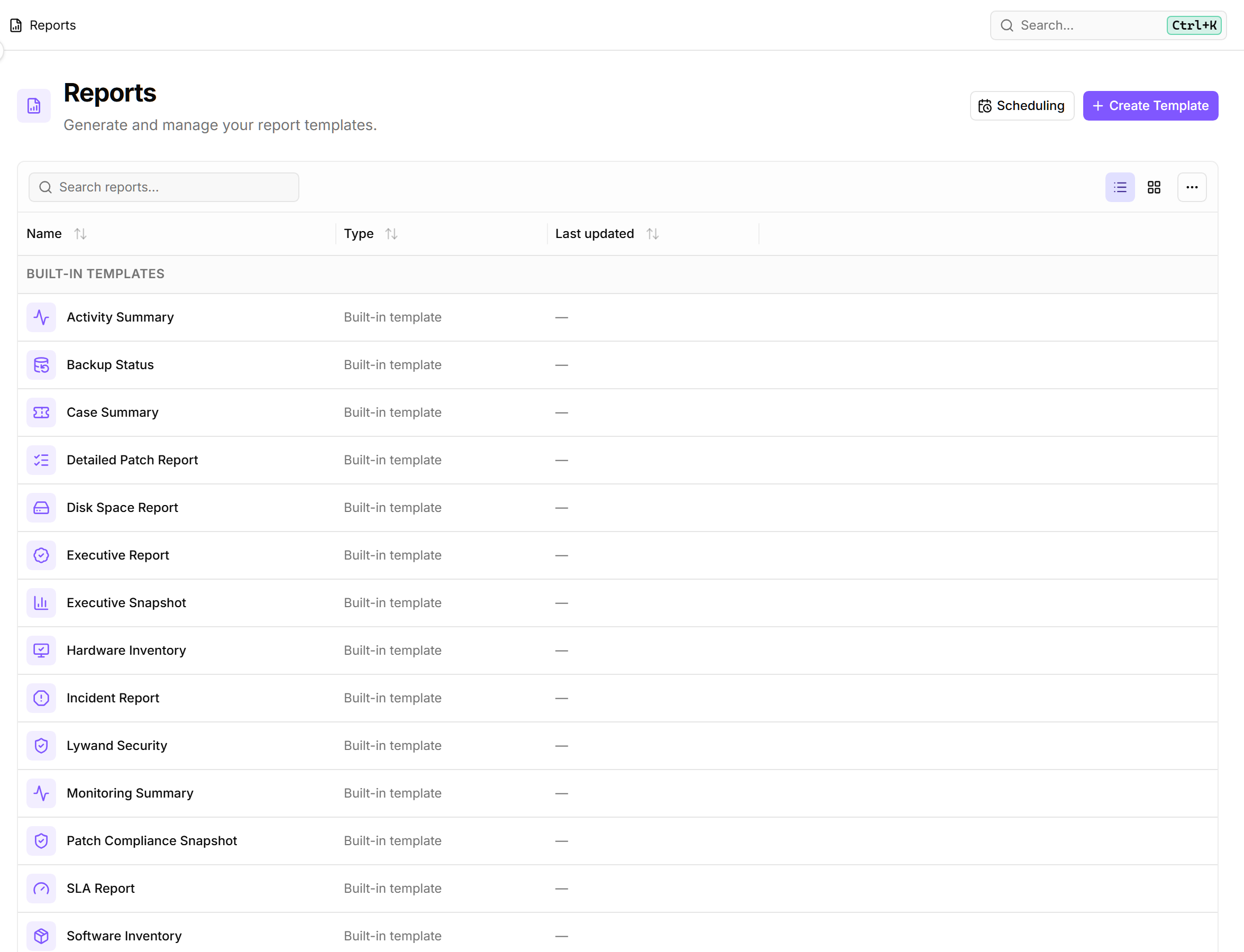
- SLA report — Shows incident count, mean time to resolve and time-weighted uptime, plus a timeline of check failures and recovery times. Check results are kept for 30 days.
- Checks without alerting — report widget — Lists every active check that no alerting covers, with a Source column showing whether it came from a shared configuration package or was added individually.
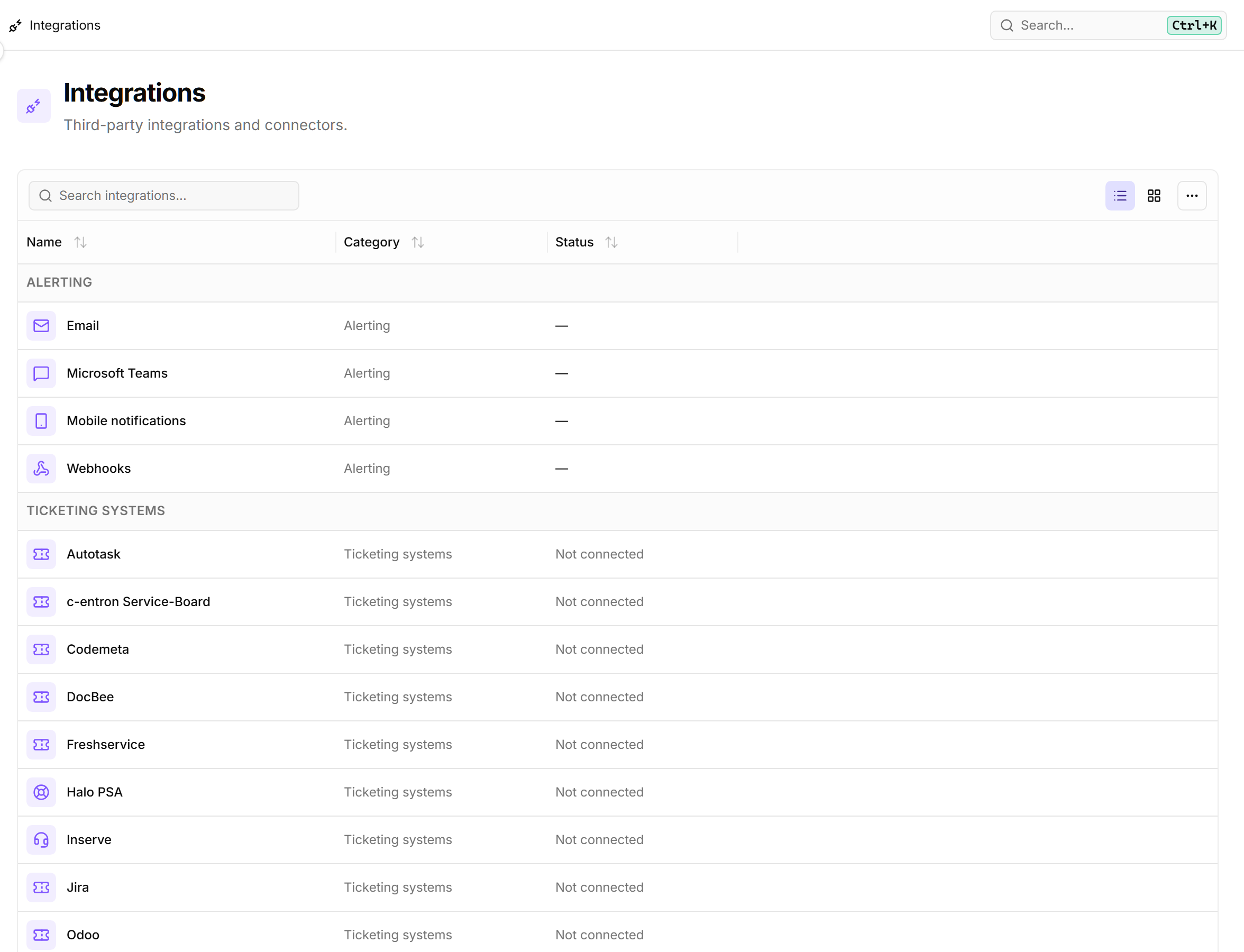
- List view on Reports, Custom Checks and Integrations — All three pages gain a cards/table toggle in the toolbar, with cards staying the default.
- Device counts per customer site — The customer dashboard now shows a searchable, sortable table of the customer's sites with the number of devices you can reach at each.
- "No Customer" device filter — The device list's customer filter gains a “No Customer” entry; previously you could reach these devices only through the dashboard tree.
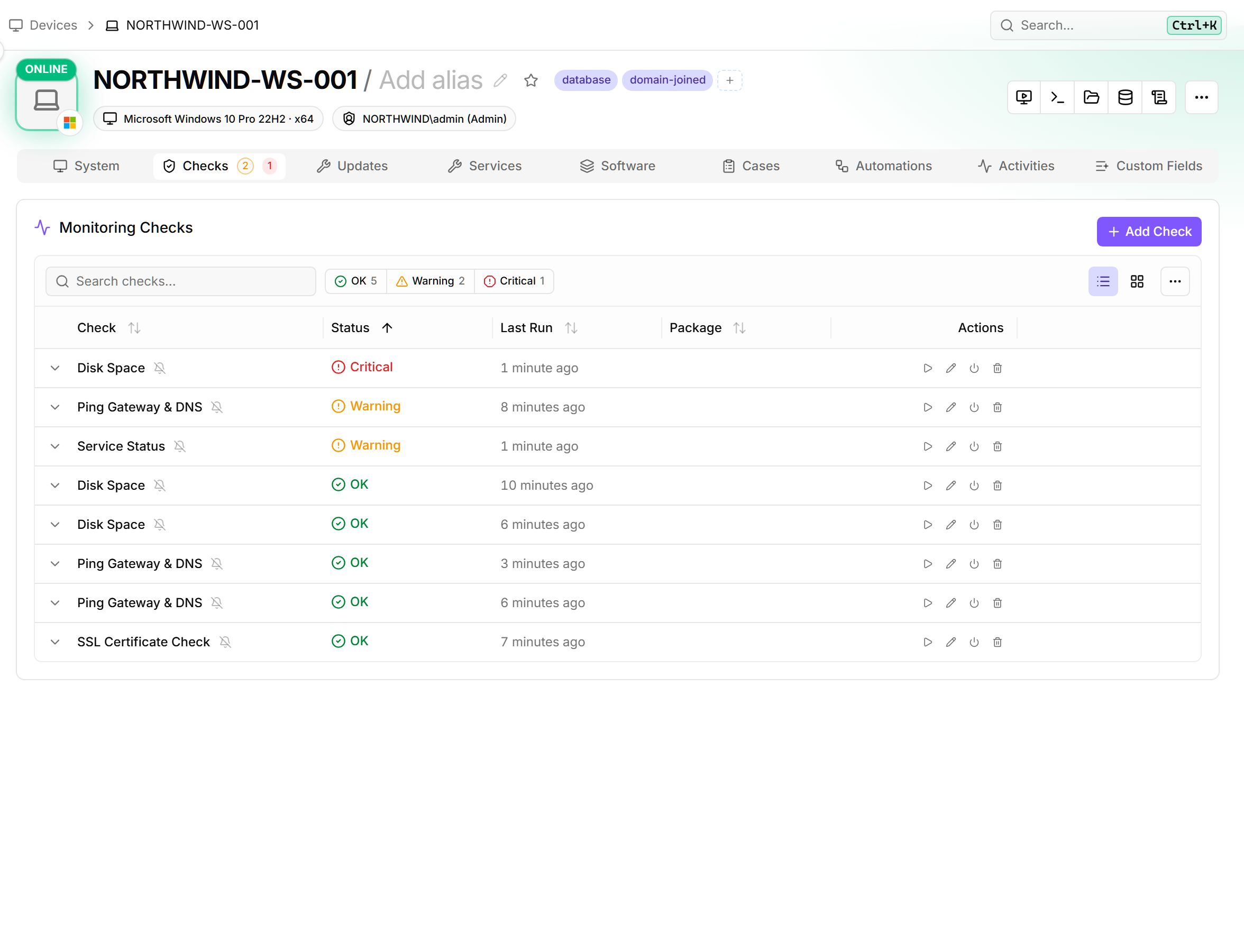
- Per-check alarm indicator on the checks tab — Every check now shows a filled bell when a package alert configuration applies and a muted bell when none is configured. The “Custom alarm” and “Alarms off” badges still take precedence.
Improved
- Dialogs stay open on an accidental outside click — Once you've entered or changed something, a click outside the dialog no longer discards it. This applies to every dialog.
- Choose which Lywand score scope to show — octoja keeps separate All, Managed and Unmanaged scores per customer and device. It remembers your choice, and checks, dashboards and report widgets all follow it.
- Per-drive thresholds on the disk-space check — Set threshold exceptions per drive, so you no longer have to raise the system drive's thresholds just because a data drive legitimately runs nearly full.
- File Age check watches the newest file in a folder — Give it a folder and a pattern and it checks the newest matching file — a backup folder whose filenames change, for example. Watching one exact file still works.
- Reliable clipboard in remote desktop — Copying out of a session no longer fails silently when your browser blocks the clipboard. Recent failures retry on their own, and older ones get a retry button in the toolbar.
- Resizable Storage Analyzer columns — Resize columns so long nested paths stay readable. Row actions now sit in the name cell, and File Explorer and the Storage Analyzer use the same ones.
- Event Log check: alert on a missing event, and match message text — The “Expected events (alert when missing)” option warns you when an event you expect never arrives. Its “message contains” matching now reads the text as shown in Event Viewer, umlauts included.
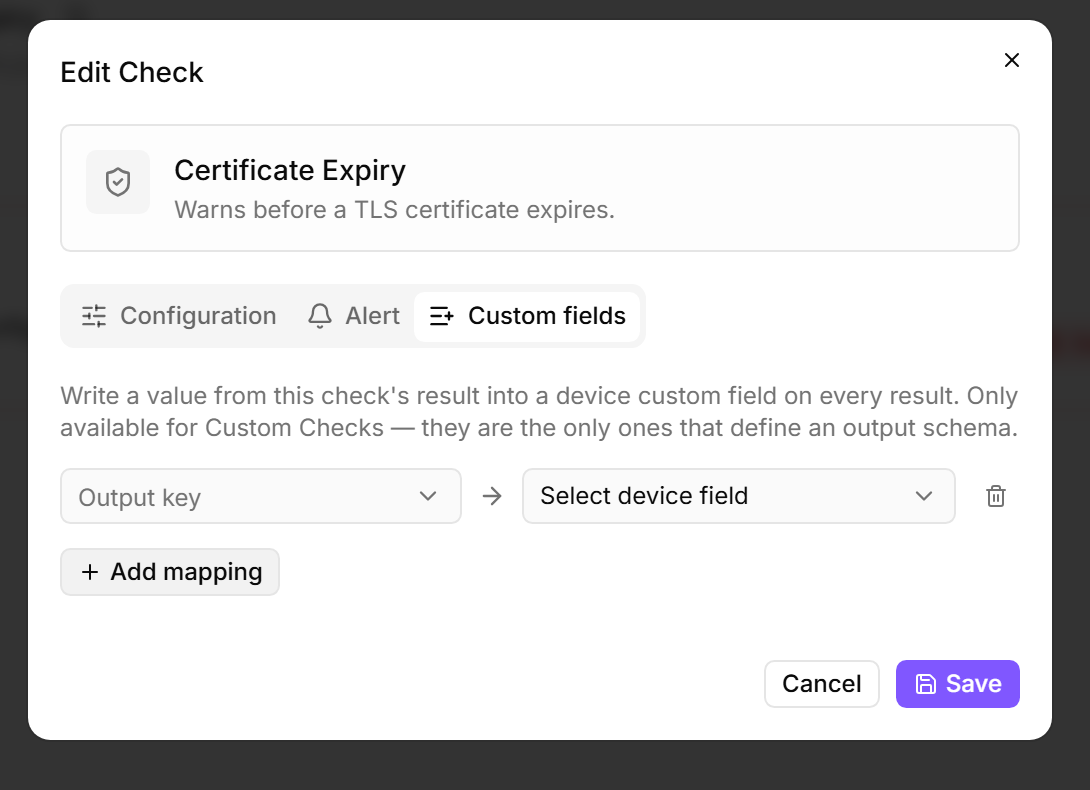
- Check "Custom fields" tab — The former “Write-back” tab now carries this name, with a tooltip explaining that it maps check-result values into a device's custom fields.
- Alarm badge shows the real minimum severity — The badge now shows the minimum severity configured for the channel instead of always saying “failed” — Warning, for example, when the channel fires from Warning.
- Finer-grained permissions across admin surfaces — Changing group membership now needs the group-management permission. You can grant the custom-fields permission in the group editor, and alarm editors can pick alert-channel targets without needing full integration access.
- Device context on the patch and automation screens — Device names on patch cycles, automation runs, configuration packages and the customer dashboard are now links, and hovering one opens a preview card. The patch-cycle results table also gains a Customer column.
- Pick the SNMPv3 protocols for an agentless device — “Auth protocol (v3)” offers SHA-1 and SHA-256, “Privacy protocol (v3)” offers AES-128, AES-192 and AES-256. Both can be set to None.
- The SMART check reads drives it used to skip — On Windows, when a drive's usual self-test data can't be read, the check now falls back to what Windows itself reports about its health.
- TANSS setup finds the server on its own — Enter just the server address and octoja locates the API path itself. The ERP token works with or without a “Bearer” prefix, and the company list fills correctly.
- Steadier picture in remote desktop on a busy connection — The session now adjusts its frame rate on the device itself rather than in your browser. On a tight connection the picture softens evenly instead of stuttering and catching up in bursts.
Fixed
- Blocking the Windows Update page now works — The block coexists with a Windows policy the customer already applies, and octoja withdraws it again once the patch policy no longer applies.
- Custom SNMP checks work on Windows
- SNMP check no longer reports a false offline — A device that returns an empty description no longer counts as offline.
- Network Interface check runs on Linux — The check also no longer drops Linux adapters and VLAN sub-interfaces that share a hardware address or have none at all.
- Service rule suggestions show the right value — Suggestions now display the service's display name while saving its internal name, so the rule matches.
- Windows agent updates no longer restart the old version
- PowerShell automations report the right result — A leftover exit code from an earlier command no longer fails the run, and octoja now captures values you assign inside functions as outputs.
- Package-manager list refreshes when you switch — Switching between Chocolatey and winget in a device's “Software” tab now refreshes the list and badge each time.
- Agentless check changes take effect immediately — A per-device check setting on an agentless device, a PDU for example, now applies right away instead of only being stored.
- Local-admins quick command works in every language
- Dashboard filter column scrolls as one
- Dashboard pagination stays at the bottom while searching
- Tag-rules page opens on large fleets — The page no longer counts matching devices for every rule up front; you still see the count on each individual rule.
- Resolving a vulnerability no longer installs unrelated software — “Resolve” on a Lywand finding could match the wrong product and install software nobody asked for. It now only ever updates software already on the device, and warns you when nothing matches.
- You only see the enrollment tokens for your customers — If you're limited to certain customers, octoja shows and manages only their tokens. Tokens that cover all customers stay with accounts that can reach all of them.
- Firewall check reads non-English systems — The “Firewall Status” check now understands a German-language system that reports its status as “Aktiv”.
- A Network Interface check that watches nothing now says so — When its filters excluded every adapter on a device, the check reported OK while monitoring nothing. It now warns, and records which filter step removed them.
- The “Network Firewall (Appliance)” check reads FortiGate firmware and licence details correctly
- Scripts no longer lose their output — A script that left a background process running came back with its output cut short. Script automations, software deployments and check runs now capture all of it.
- Continuous deployment no longer looks scheduled — A configuration package that keeps software continuously up to date now shows “No schedule set” instead of a Deployment schedule it never used.
- Live-updating lists no longer jump back to page one — When a list refreshes in the background, you stay on the page you're reading as long as nothing about the data has changed.
- BitLocker details stay open while you read them