octoja v1.0.1355 — Better reports and steadier remote support
Highlights
This release sharpens reporting and remote support. Reports gain a device-availability widget and a dedicated set of Sophos widgets with a ready-made template, so you can show uptime and protection at a glance. Remote desktop is steadier all round — the "connected" notice now stays with the person being helped, sessions no longer fail to start on some machines or lock mid-session, and they fill the screen properly on high-DPI displays. Underneath sit a batch of monitoring-check accuracy fixes for Sophos and Cove Backup, calmer device inventory, and smaller polish across rules, patches, webhooks, and integrations.
New
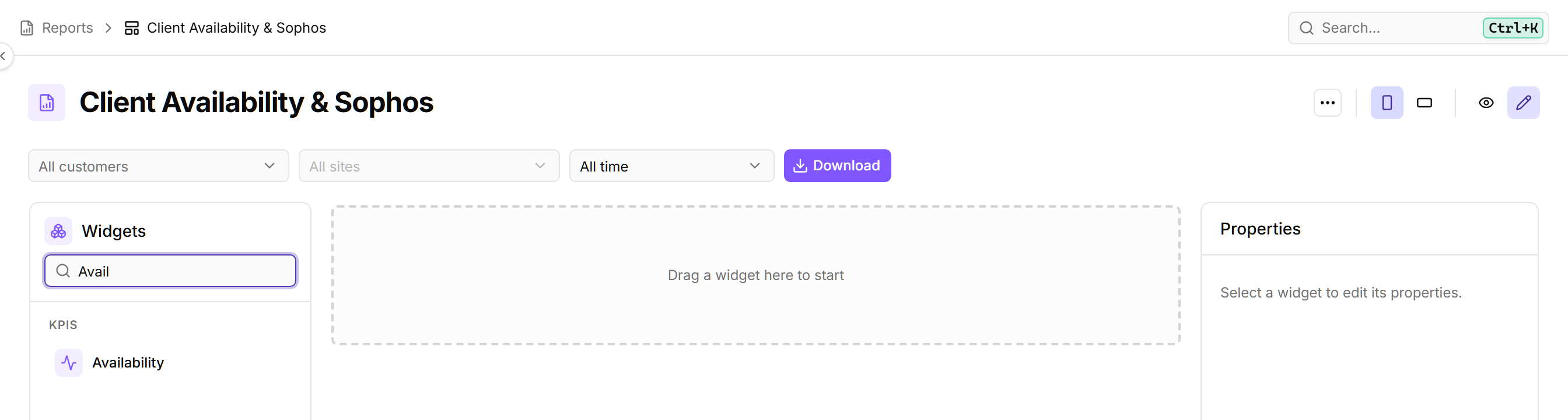
New "Availability" widget for reports — Build reports that show, at a glance, the percentage of time your devices were online over the reporting period. Add the new Availability widget and optionally limit it to specific devices. It counts only devices that have the “Device online” check assigned. Read more
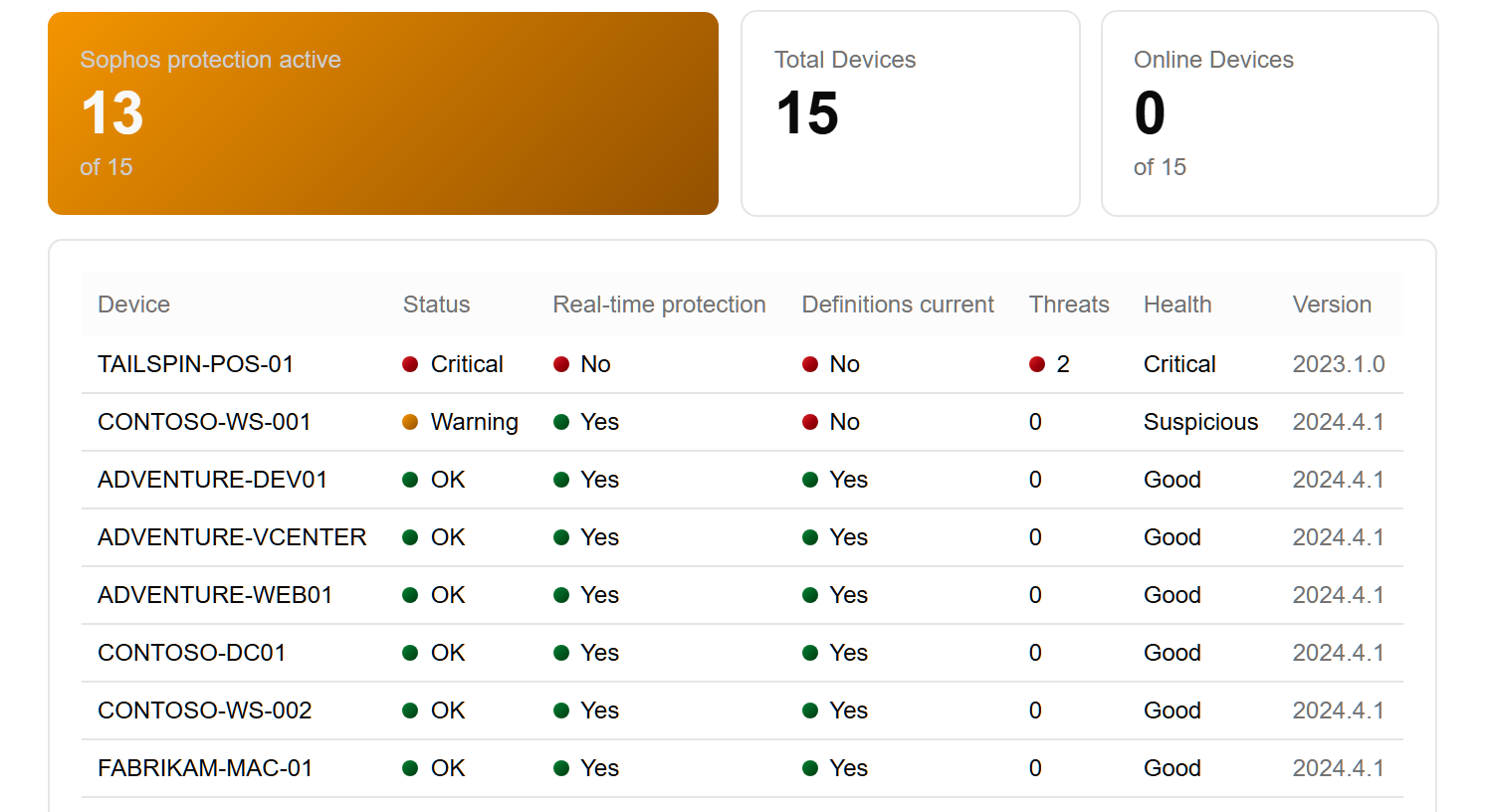
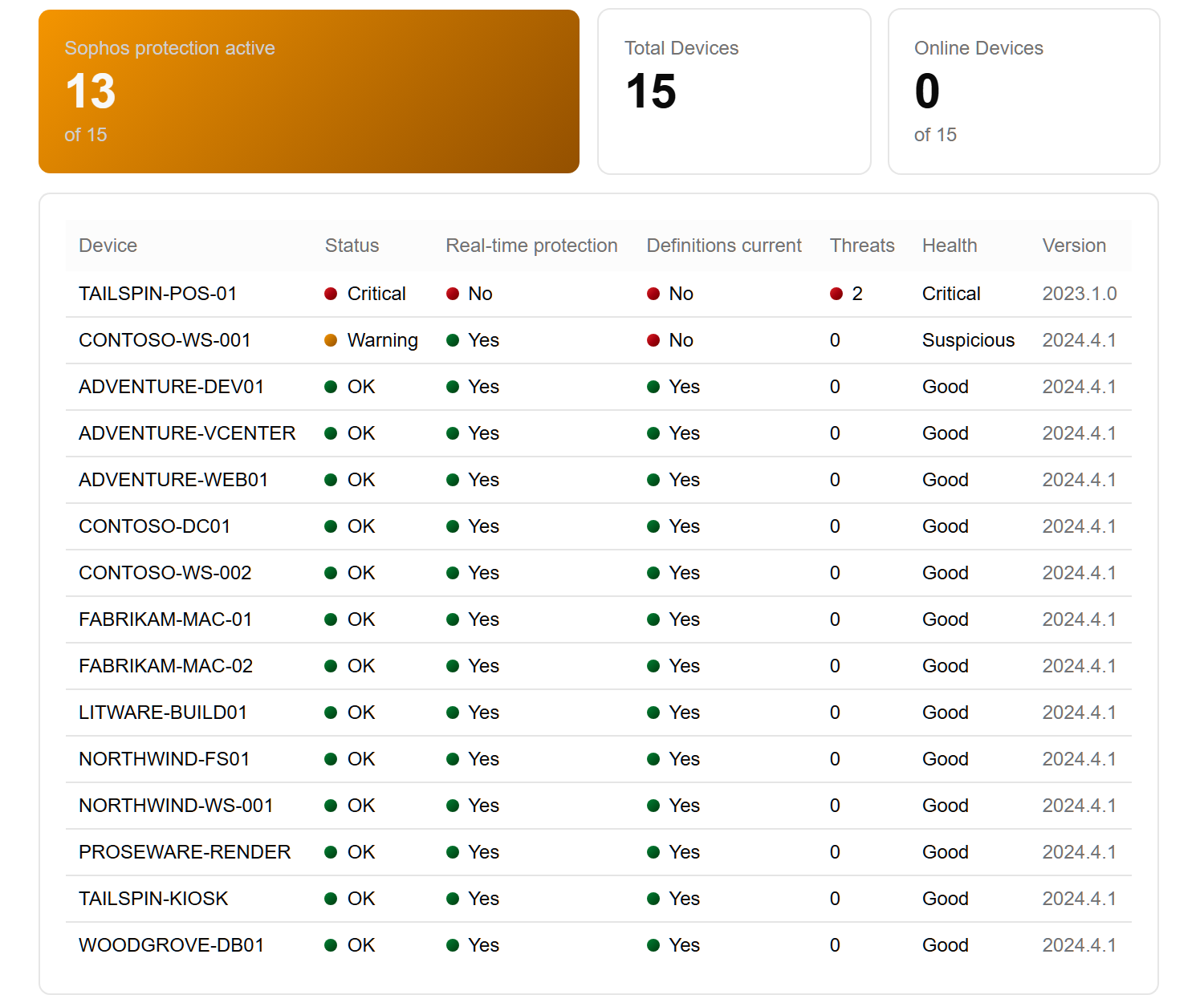
Dedicated Sophos widgets and a ready-made Sophos report — Reports can now show Sophos antivirus detail directly: add the “Sophos protection active” KPI and the “Sophos status (table)” block, which lists each device's real-time protection, definition currency, detected threats, health and product version. A built-in “Sophos Report” template combines both, so you can add a finished Sophos report without building it from scratch. Read more
Improved
Webhook inventory updates only fire when device details actually change — If you send device inventory to another system through a Webhook, octoja now only delivers an update when a device's core details — its hardware, network adapters, or identifying information — actually change. Routine background changes like a new installed program or a pending update no longer trigger a fresh delivery every hour, so the receiving system gets far fewer redundant inventory updates. Read more
Rule builder flags conditions that are missing a value — When you build a rule and pick a field and operator but leave the value blank, that condition now stands out in amber with a warning icon and a hint, so you can spot and finish incomplete conditions before saving. It works everywhere you build rules, including config packages, patch policies, tag rules, and access groups. Read more
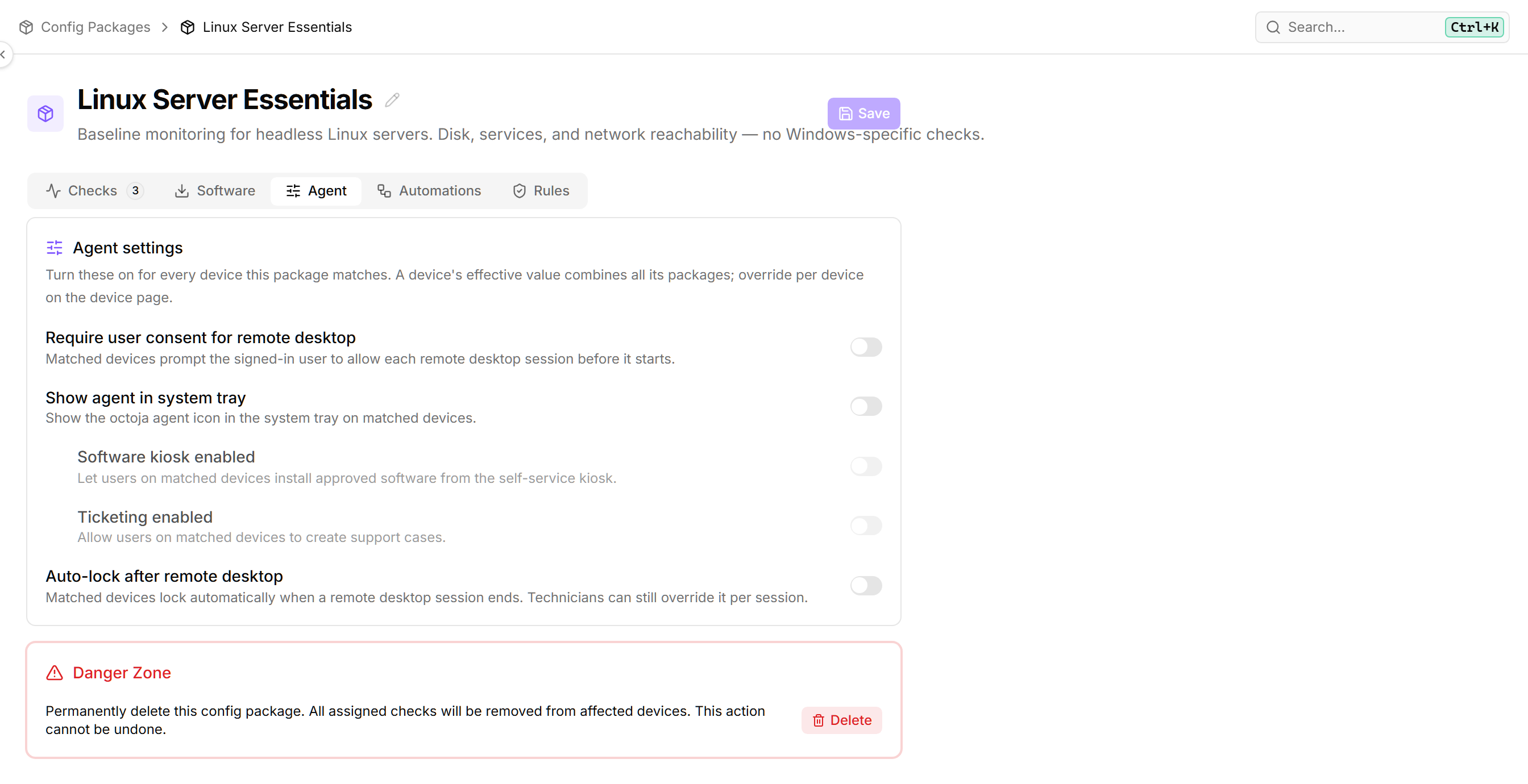
Kiosk and ticketing settings now follow the tray icon — In device and configuration-package agent settings, “Software kiosk enabled” and “Ticketing enabled” now sit under “Show agent in system tray” and grey out when the tray icon is turned off, since both features only reach people through that icon. Read more
Tidier help menu in the header — The row of look-alike icons in the top bar has been cleaned up: Feature Request stays as its own button, and Tickets, Feedback portal, and Help & docs now sit together under a single “…” menu, each shown with a clear label so the options are easy to tell apart. The old Community link has been removed.
Fixed
Remote desktop notice now reaches only the person being helped — On shared machines where several people are signed in at once, the on-screen notice that a technician has connected — including the technician's name — used to appear for everyone, not just the person actually being helped. It now shows only to that person, so a technician's name is no longer visible to other signed-in users. Read more
Remote desktop no longer fails to connect on some machines — Remote desktop sessions could fail to connect on certain devices — often at the Windows login screen — with a “Connection failed” error. Sessions now automatically switch to a working video method when the first one can't start, so the connection goes through.
Remote machine no longer locks mid-session — Fixed an issue where the remote computer could unexpectedly lock in the middle of a remote desktop session, especially when switching between the machine's monitors. The “Lock remote on disconnect” setting now stays in sync for every technician viewing the same session, so it only locks when the session actually ends.
Remote Desktop shows the full screen on high-DPI displays — On devices with scaled or high-DPI monitors, a Remote Desktop session could show only the top-left corner of the screen instead of the whole display. The full desktop now appears correctly.
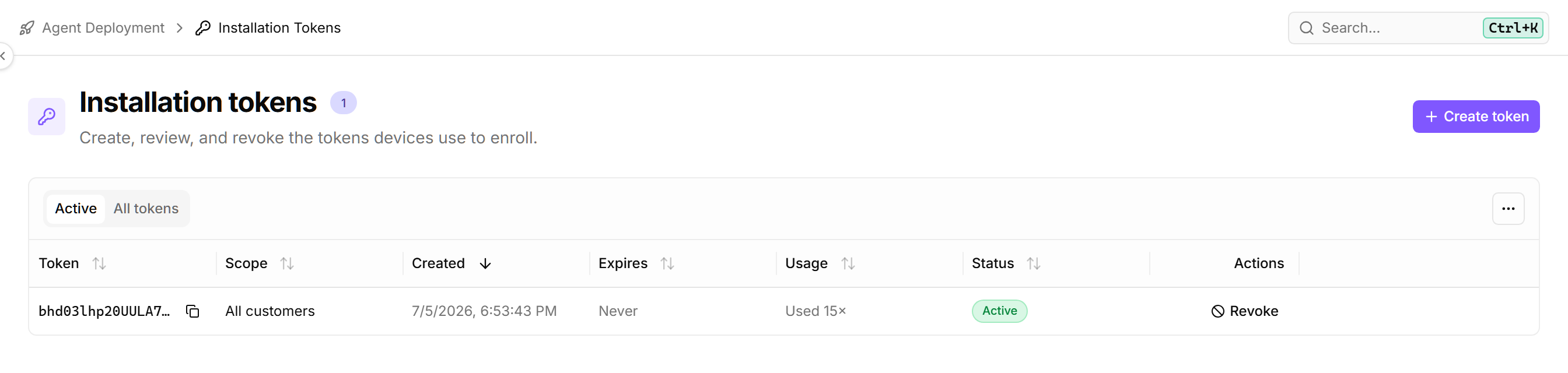
Revoke button now appears on the Installation Tokens page — The button for revoking an installation token was missing from the Installation Tokens page, so there was no way to turn off a token from the list. It now shows up in a labeled Actions column next to each token. Read more
Imported customers now appear for team members with group-limited access — Customers added through Import Customers could stay hidden from team members whose view is limited to specific groups, even though the customers imported successfully. Bulk-imported customers now show up for everyone who should be able to see them, just like customers you add one at a time. Read more
Integration customer-matching count now respects your access — On an integration's Customer mapping card, the “X of Y customers matched” count now reflects only the customers you can access, instead of showing the total for the whole account. Team members with limited access no longer see a total that includes customers outside their scope.
More reliable Sophos protection reporting — The Sophos check now reports an accurate definitions date, no longer flags a false warning on Windows Servers where it couldn't read how current the definitions were, and no longer comes back empty on certain Sophos versions. Read more
Cove Backup check no longer flags healthy backups — The Cove Backup monitoring check sometimes showed a warning even when a device's backups had completed successfully. It now reads the backup history correctly, so healthy backups report as healthy. Read more
No more phantom "Last boot" changes in device history — A device's inventory history no longer fills up with repeated “Last boot” change entries where the before and after times are the same. The recorded boot time now stays put between restarts, so the history only shows a change when the device actually reboots.
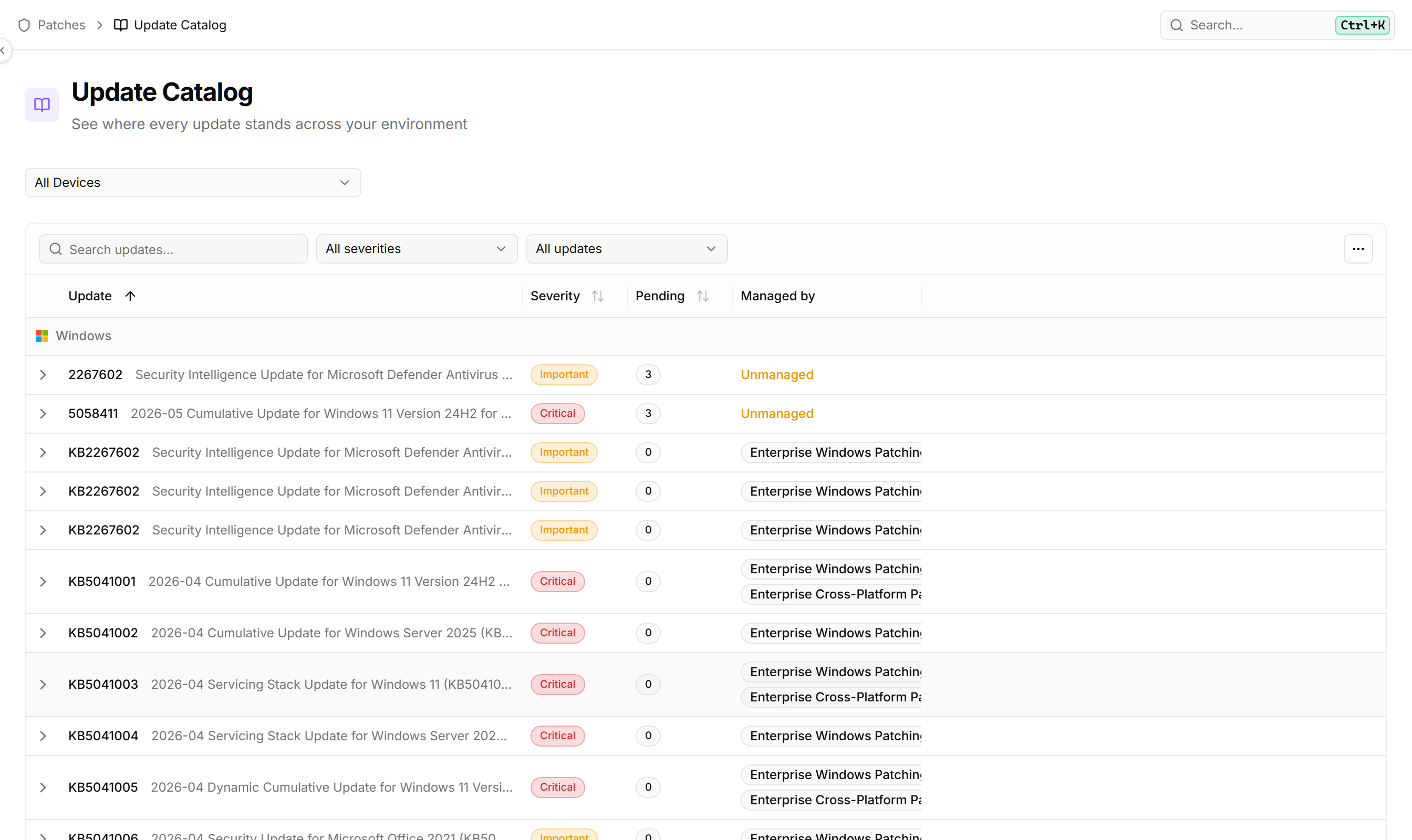
Patch screens display correctly with large policies and long update names — The Emergency rollout dialog no longer runs off the screen when a policy has many updates or rings — its contents now scroll and the Cancel and Create buttons stay reachable. In the Update Catalog, the update column is now wide enough that titles are no longer cut off, including in the per-policy view. Read more
Command bar stays ready to type — Opening the command bar with Ctrl+K now reliably lets you start typing right away. Previously the help widget loading in the background could quietly take the keyboard, so your first keystrokes went nowhere until you clicked back into the search box. Read more
More reliable agent installs on Linux and Windows — Installing the octoja agent now works on ARM-based Linux devices like Raspberry Pi, which were previously rejected, and on minimal Ubuntu servers that lack the unzip tool and used to fail during install. On Windows, if a firewall, proxy, or web-protection product intercepts the download and returns a fake page instead of the installer, you now get a clear message pointing at the likely cause instead of a confusing error. Read more