octoja v0.1.970 — Dashboard, disk cleanup & more
Highlights
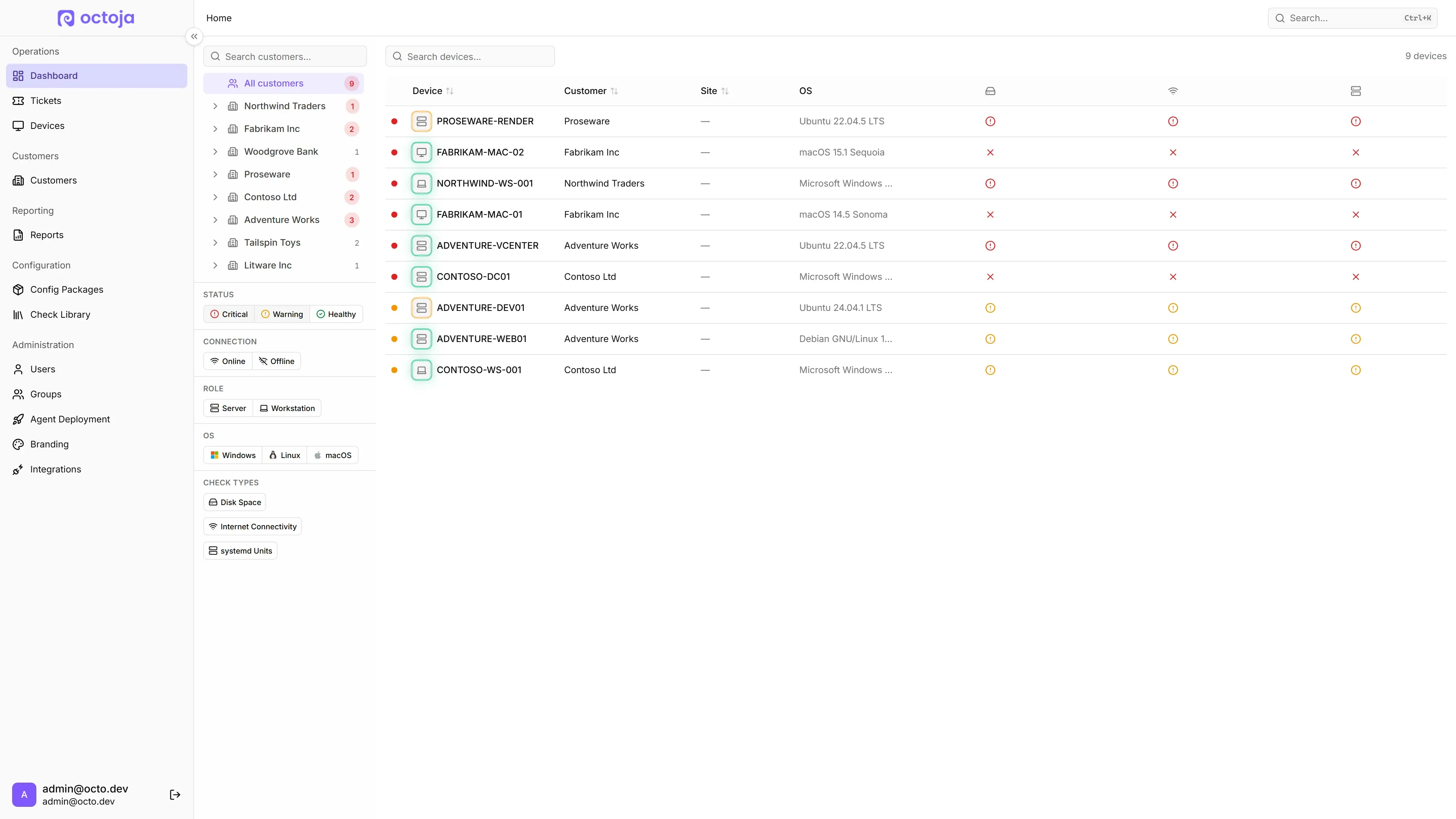
A new home dashboard gives you a single overview of every customer, site, and device with the checks that matter most — filter by status, role, OS, or check type, and click straight through to a device. You can now run a one-click cleanup on any connected device to free up disk space, and the toolbox handles file transfers and uploads in a noticeably smoother way. Removing a device from the inventory finally completes itself end-to-end: the agent uninstalls itself within seconds.
New
The new home dashboard groups every customer and site in one tree and surfaces only the devices that need attention.

Home dashboard — A new landing page lists every customer and site in one tree, with per-device status columns for each check. Filter by status, connection, role, OS, or check type to find what needs attention.
Disk cleanup — Run a one-click cleanup on any connected device from the file explorer toolbox. Works on Windows, Linux, and macOS, with a per-step breakdown of what was cleared and how much space was freed.
Drag-and-drop in the terminal — Drop files directly onto the remote terminal to upload them to the current working directory, no detour through the file explorer.
Unified transfers popover — File uploads and downloads from any toolbox panel now appear in one transfers list in the tab bar instead of separate notifications.
Reload prompt after backend updates — When octoja itself is updated in the background, your browser tab now offers a one-click reload so you don't run on stale frontend code.
Improved
Device removal completes itself — Deleting a device from the inventory now tells the agent to uninstall itself immediately. Online agents drop within seconds; offline agents uninstall the next time they try to connect. The device's history, checks, and assignments stay intact for audit.
File explorer drive bars — Each drive in the file explorer now shows a capacity bar, with the bar turning red when free space gets critical.
Fixed
Single sign-on with vanity domains — Microsoft SSO now works correctly when you reach octoja through a custom domain in addition to the default one. The login redirect lands on the right host every time.
Check history loads on every device — Opening the check result history no longer fails on devices with at least one stored result; the chart now renders for every check on every device.