octoja v1.0.598 — OS Patch Management, device aliases and more
The changelogs are sent out on the same day as the scheduled updates to the product and other components such as checks. Due to the staggered rollout and decoupled components, timing differences occur here.
New permissions, such as those for OS patch management, currently have to be assigned manually. We are already working on an admin logic that will assign these permissions automatically in the future.
Highlights
This release brings OS Patch Management directly into octoja: schedule install windows per device group, choose which update categories run, keep an eye on reboots, and see withdrawn updates broken out separately. Alongside that, a long list of smaller-but-tangible improvements — kick off agent updates straight from a device's detail page, give every device a freeform alias, paste your clipboard into a remote-desktop session in one click, get a much richer hardware inventory, and pick up built-in checks for Cove Backup, MailStore SPE and a range of hardware firewall appliances.
New
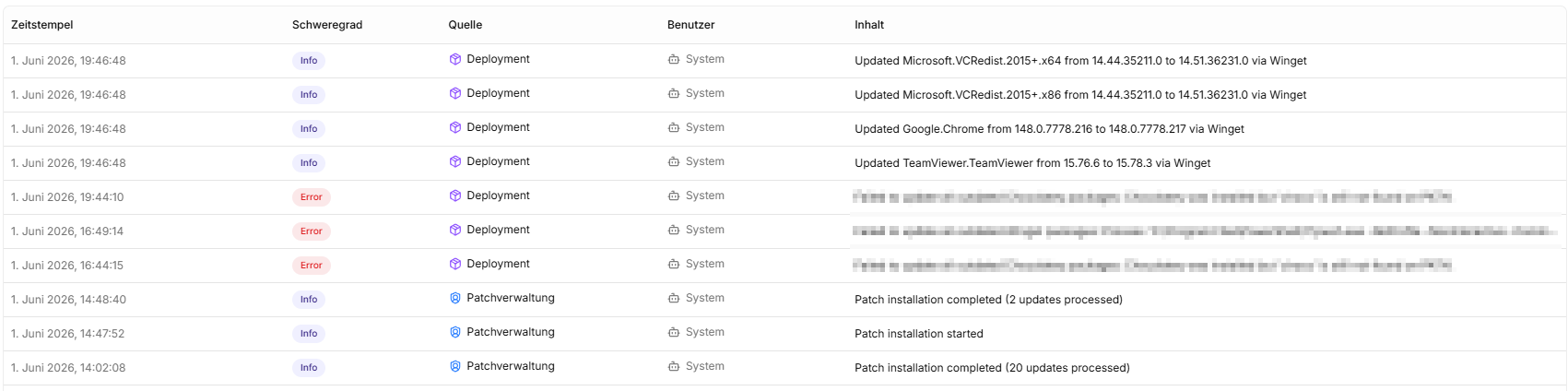
OS Patch Management — octoja can now install Windows updates on your managed devices. Schedule a maintenance window per device group (time-zone aware), pick which update categories should run, and let octoja take it from there — reboot detection, a dedicated patch-cycle view, and a separate status for withdrawn updates are all built in. Reboots are written to the asset log so you can see exactly when a device last cycled.

Trigger agent updates from a device's detail page — When a device is running an older agent than the current build, octoja now shows an alert and an **Update now** button at the top of the device detail page. Clicking it kicks off the update immediately instead of waiting for the agent's next scheduled check.
Device alias — You can now give devices an alias. The command palette then matches the device on either the hostname or the alias.

Paste button in remote desktop — Remote desktop sessions now have a **Paste** button that types the contents of your clipboard into the remote machine — handy when the remote side doesn't accept normal paste shortcuts.
Cove Backup check — New built-in check that reads the status of your Cove Backup jobs (formerly N-able Backup) directly from the Cove API and surfaces it as a check result in octoja.
MailStore SPE check — New built-in check for MailStore Service Provider Edition, monitoring the health of your mail archives.
Multi-vendor firewall appliance check — New built-in check for hardware firewalls across multiple vendors — octoja pulls health and configuration status via each vendor's API.
Improved
Live uptime on the device detail page — A live-updating uptime badge now sits next to the boot time, so you can see at a glance how long a device has been running.
Battery health in the Power Status check — The built-in Power Status check now reports battery health alongside remaining capacity and cycle count, so you can spot aging batteries earlier.
Richer hardware inventory — Hardware inventory now includes L2 cache size, every physical drive, full network adapter details, and the start-type of each Windows service. Volumes are mapped to their physical disks, and duplicate network adapter entries are merged so the list stays readable.
Local users with login and password dates — Local users in the System tab now show their last login and last password-change date — plus whether the device is joined to a domain, Azure AD, or just a workgroup.
Feedback launcher moved — The feedback launcher in the bottom-right has shifted slightly so it no longer covers floating action controls.
Fixed
Custom check reliability — Several fixes around custom checks: edits to a check are pushed to affected agents immediately, the check result is now cleanly isolated from anything the script writes to stdout, the live-test panel surfaces unparseable output instead of hiding it, and checks still report a result when the script exits early.
Time entries keep their comment — Time entries shorter than 30 seconds used to lose their comment when stopped. Comments are now saved regardless of session length.
Case-insensitive dashboard sort — Customers and sites on the dashboard now sort alphabetically without splitting lower-case entries below the upper-case ones.